

pointbit
pointbit icon

Point, understood.

A Mac menu bar app that marks every click, so the pointer is easy to find, even on a big screen. Record what you point at, and show it to your agent instead of typing.

Click anywhere on this page to see a mark.Tap anywhere on this page to see a mark.

macOS 13+Apple silicon and IntelNo network codeSource available (PolyForm Shield)

A mark on every click

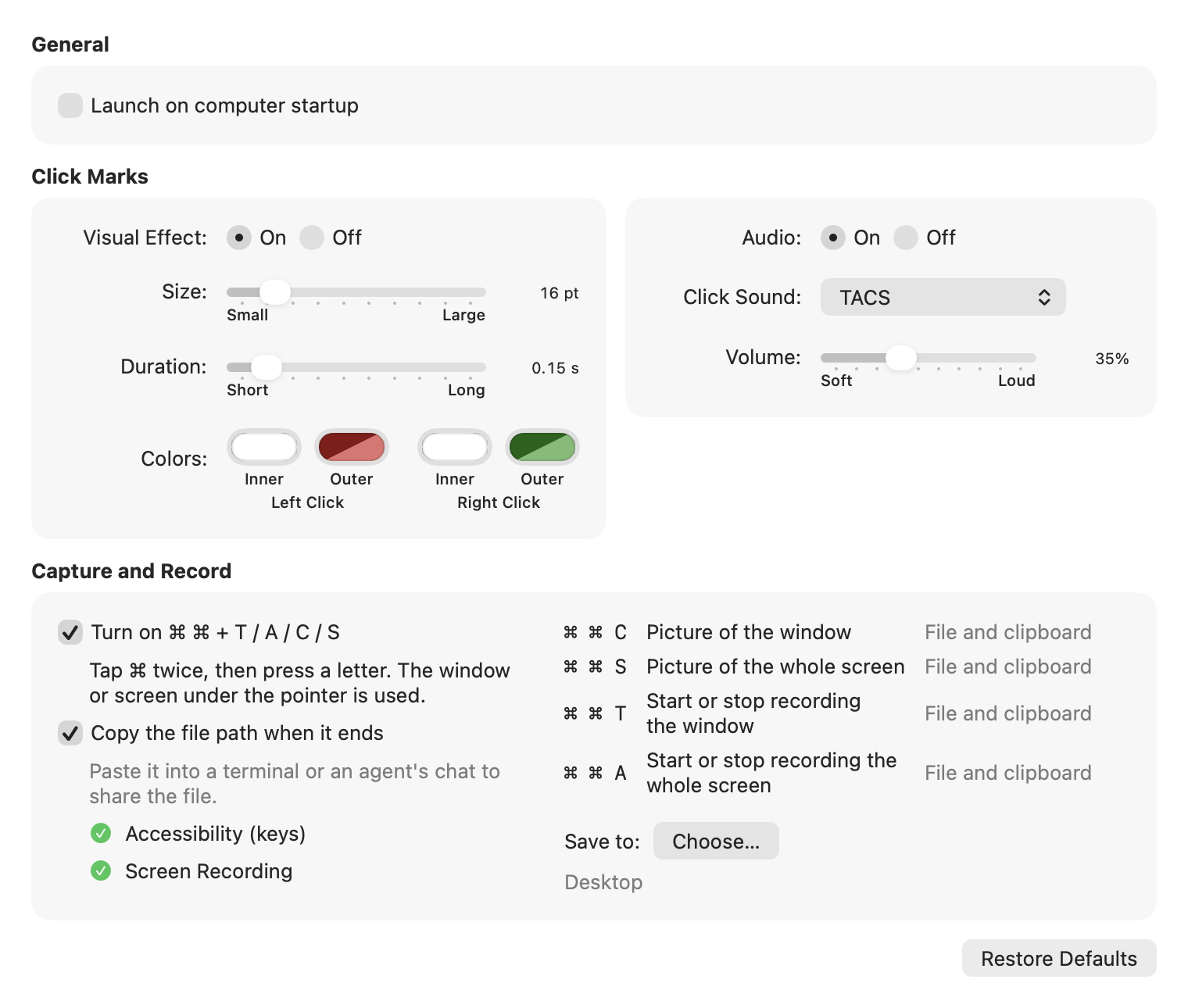
Red for left, green for right. Gone in 0.15 s. Size, colors and a click sound are adjustable. Try it here.

0 clicks

Click here. Left is red, right is green.Tap for red. Green needs a right-click.

Show it, don't type it

⌘ ⌘ T records the window under the pointer, A the whole screen. The click marks stay in the video.

Press the same keys again to stop.

⌘⌘TA

A picture in one step

⌘ ⌘ C for the window under the pointer, S for the whole screen. No box to drag. A white flash and the shutter sound confirm it.

⌘⌘CS

Hand it to your agent

Saved as TACS-<date>-<time>.png or .mov. The file path goes to the clipboard. Paste it into your agent's chat.

# pasted into the chat
/Users/you/Desktop/TACS-20261104-091500123.mov

Stays on your Mac

No network code. No account. Two macOS permissions, and the guide says why.

pointbit settings window

Also in pointbit

Click sounds

Optional. A typewriter, mouse clicks or Tink, with pitch and tone sliders.

Only on your keys

⌘T, ⌘A, ⌘C and ⌘S still work as before in other apps.